Lumen AI Onboarding
Cutting activation time from days to minutes with an AI-assisted onboarding flow for a SaaS analytics platform.
Welcome to Lumen
Let's set up your workspace in under 2 minutes.
Overview
The Challenge
Lumen is a powerful analytics platform — but new users were drowning in complexity. The default setup flow required connecting data sources, configuring dashboards, setting permissions, and learning a custom query language. Most users took 3–5 days to see their first meaningful insight. The result: 40% of trial users never completed onboarding. Support tickets piled up with the same questions. The product was good — the first experience was killing conversion.
The Approach
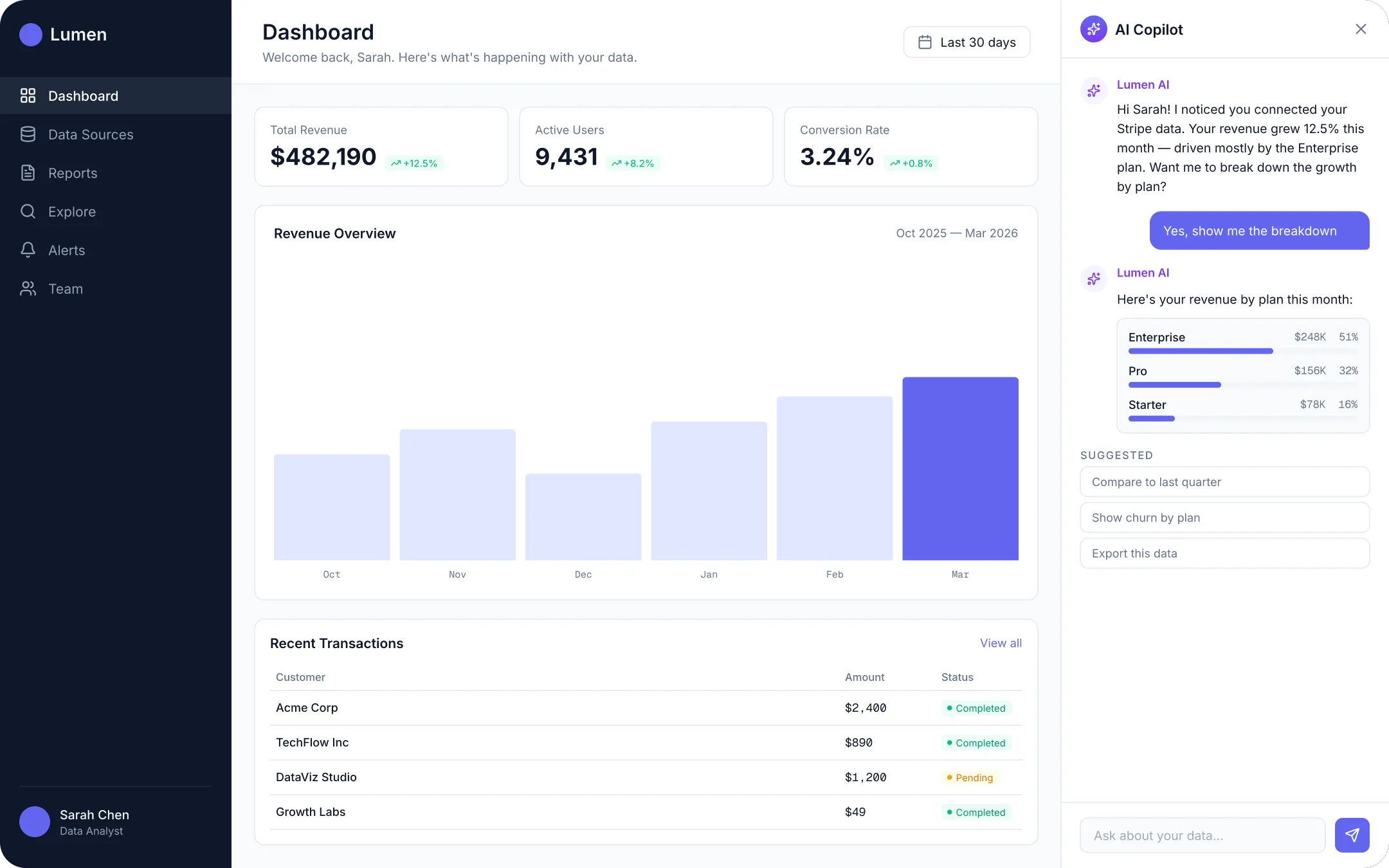
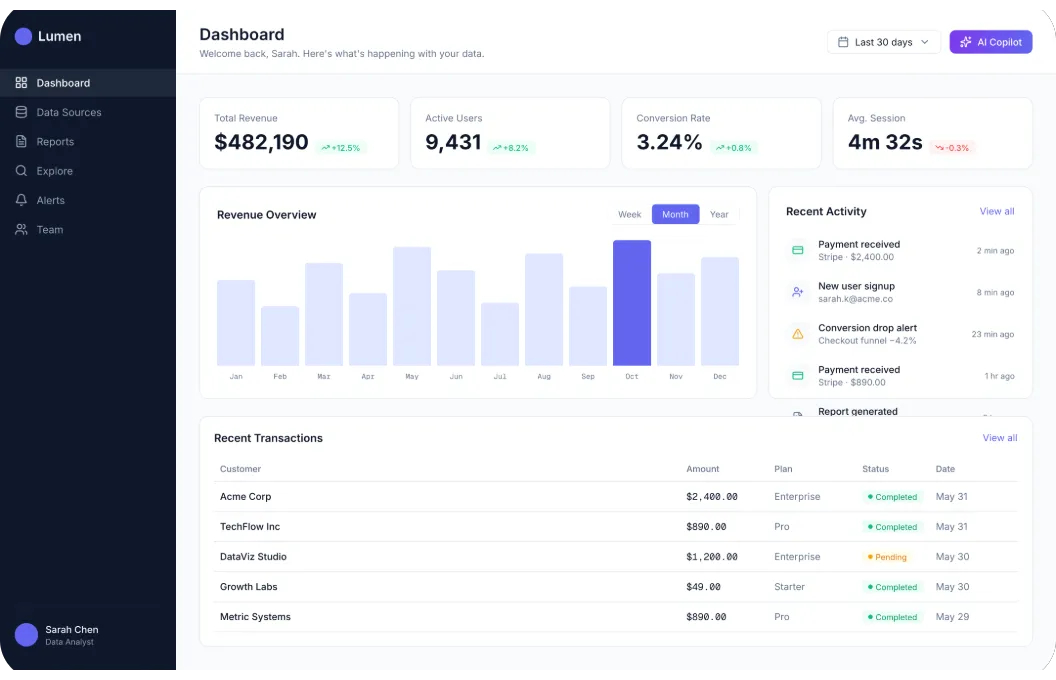
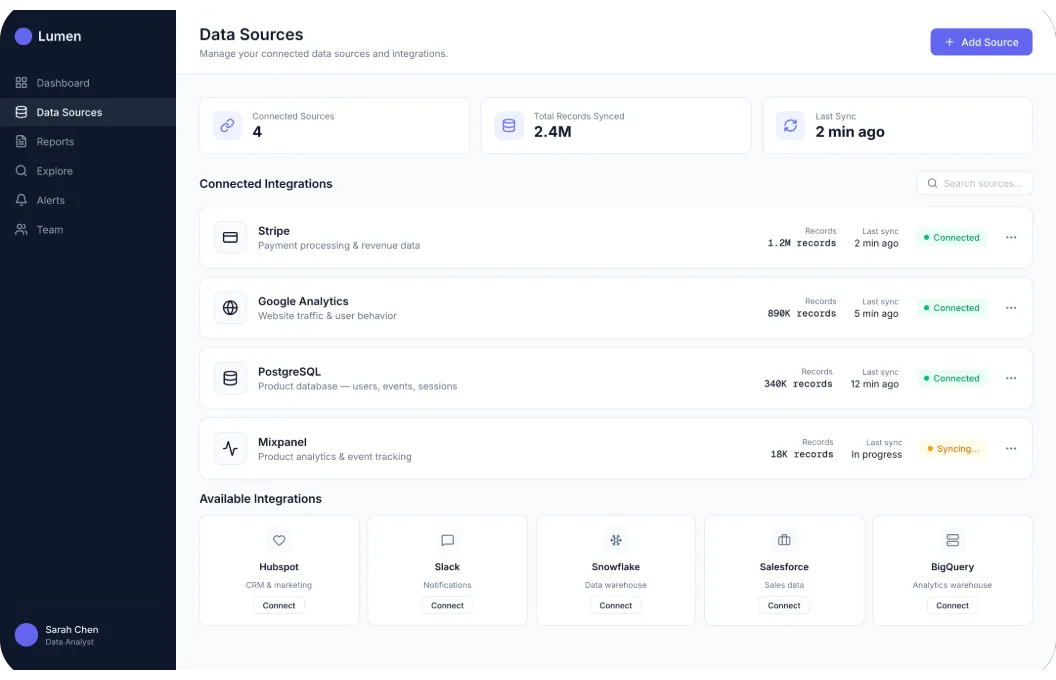
I redesigned onboarding from scratch — replacing the 12-step manual flow with an AI-guided experience. The system asks three simple questions about the user's role and goals, then auto-configures the workspace: connects common data sources, pre-builds relevant dashboards, and surfaces the most useful features first. Instead of a feature tour, users get a working dashboard within minutes. The AI copilot stays available in a sidebar, answering questions in natural language and suggesting next steps based on what the user hasn't explored yet.
The Process
Here's exactly what the five days looked like — from the first call to the final deploy.
Research & user interviews
Started by interviewing 12 users who had either completed or abandoned onboarding. The patterns were clear: people didn't fail because the product was hard — they failed because they didn't know where to start. The old flow gave every user the same path regardless of whether they were a data analyst, a product manager, or a CEO. I mapped the existing 12-step flow and identified which steps actually required user input vs. which could be automated or deferred. Only 3 of 12 steps truly needed human decisions upfront.
AI-assisted flow design
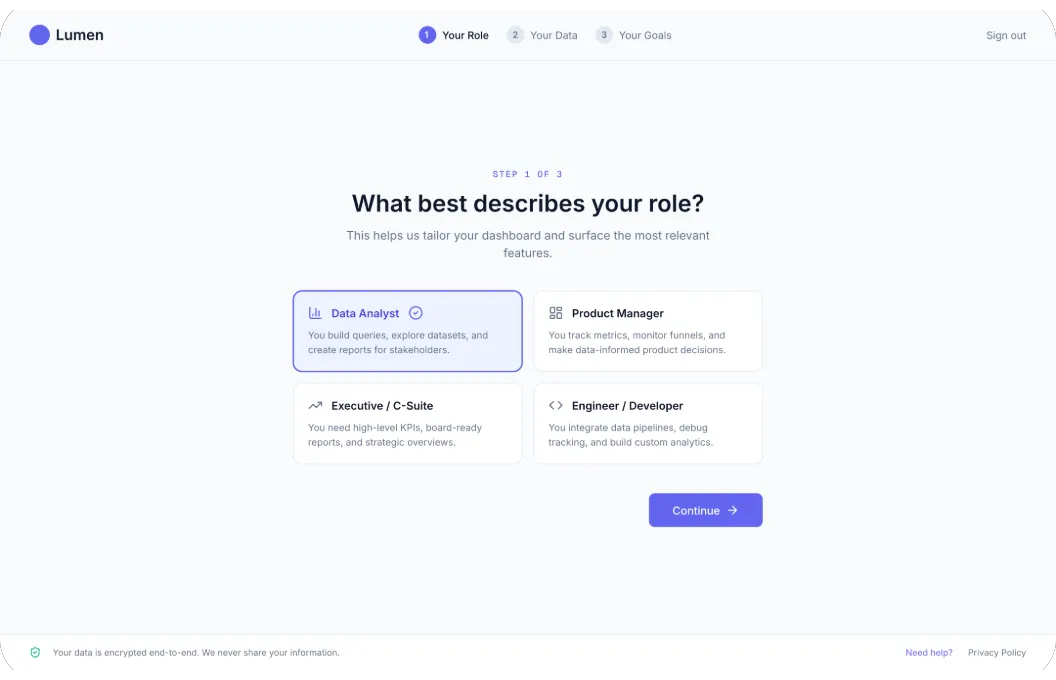
Designed the new onboarding around three questions: What's your role? What data do you work with? What's the first question you want to answer? From these three inputs, the AI pre-configures the workspace: selects the right data connector template, builds a starter dashboard, and sets default permissions. The key insight was making the AI visible but not dominant. It appears as a sidebar copilot that explains what it's doing and why — 'I'm connecting your Stripe data because you mentioned revenue tracking.' Users feel guided, not automated.
Prototyping & testing
Built a clickable prototype and tested it with 8 users from the original interview pool. The first version was too aggressive — it assumed too much and didn't let users override AI decisions. We added a 'Let me customize this' escape hatch at every step. Second iteration nailed it: users who followed the AI path completed setup in under 2 minutes. Users who wanted control could still access every setting — but they didn't have to. Average satisfaction score jumped from 3.2 to 4.8.
Frontend development
Built the flow in React with a step-by-step wizard architecture. Each step is a self-contained component that communicates with the AI backend via a simple API: send user context, receive configuration recommendations. Animations between steps are intentionally slow (400ms) — fast enough to feel responsive, slow enough to let users register what changed. The AI copilot sidebar uses streaming responses so users see the thinking process in real-time. This builds trust: they're not waiting for a black box to finish.
Analytics, QA & launch
Instrumented every step with Mixpanel events: step entered, step completed, time per step, AI recommendation accepted/modified, copilot questions asked. This data feeds back into the AI model — the more users onboard, the better the recommendations get. QA tested across browsers and screen sizes, with special attention to error states: what happens if the data connector fails? What if the AI suggests a wrong dashboard? Every failure mode has a graceful fallback. Shipped behind a feature flag, rolled out to 20% of new signups, monitored for a week, then went to 100%.
The final result
Results
87% faster activation
Users go from signup to their first insight in under 2 minutes instead of 3–5 days. The AI handles configuration that used to require documentation and support tickets.
64% higher Day-7 retention
Users who complete the AI onboarding are significantly more likely to return. They already have a working dashboard — there's a reason to come back.
72% fewer support tickets
The AI copilot handles most common questions in-context. Users don't need to leave the product to find answers — the answers come to them.
What I'd do differently
No project is perfect. If I had more time, here's what I would have done differently:
Start with more diverse user interviews
We interviewed mostly power users. The flow works great for analysts, but product managers and execs have different mental models. More diverse research upfront would have caught edge cases earlier.
Build the analytics dashboard first
We instrumented events after building the flow. If we'd set up tracking from the prototype stage, we'd have had richer data to inform the final design decisions.
Add a progress indicator
Even though the flow is short, users want to know how many steps remain. A simple 'Step 2 of 3' would have reduced the drop-off we saw at the data connection step.
"The onboarding redesign changed everything for us. We went from losing half our trial users to converting the majority of them. Vlad didn't just make it prettier — he fundamentally rethought how people first experience our product."
Explore more work
Northwind Studio
A Webflow rebuild that tripled inbound demos for a B2B logistics SaaS.
Foldwell Growth Engine
Lifecycle marketing that scaled revenue 4× in 12 months — from manual hustle to an automated growth machine.
Have a similar project?
Let's talk about how I can help you get similar results.